App Store Manager App Store Manager
How It Works Features Pricing Contact

Ship App Store Updates
in Minutes, Not Days

Bulk manage metadata, screenshots, and translations for App Store Connect and Google Play Console — from one platform. Both stores. Zero repetition.
iOS & App Store Connect
+
Android & Google Play

App Store Manager — Screenshot Upload

Trusted by mobile app teams worldwide

0+
Apps Managed
0+
Languages Supported
0h+
Saved per Month
2-in-1
iOS & Android
RedBit Games — App Store Manager customer Bazaart — App Store Manager customer Losandros Apps — App Store Manager customer

Managing store listings
shouldn't take this long

Every app update means hours of tedious manual work — repeated across multiple apps, locales, and platforms.

Hours lost to copy-paste

Manually updating titles, keywords, and descriptions across 10+ locales in App Store Connect takes a full workday — for every single release.

Screenshot chaos

Uploading screenshots one by one for each device type and locale — for both iOS and Android — is an error-prone nightmare nobody should endure.

Everything done twice

App Store Connect and Google Play have different workflows. Without the right tool, your entire team has to do all the same work twice, every time.

Meet the App Store Manager

Click through the panels to explore the features — this is what your team will use every day.

App Store Manager
Your Apps
Manage all your iOS and Android store listings in one place
My Awesome App
iOS & Android
Live in 42 countries
Productivity Pro
iOS only
Ready for review
Weather Now
iOS & Android
Live in 28 countries
App Metadata
Edit titles, subtitles, keywords and descriptions — upload to all locales with one click
App Title
My Awesome App – Task Manager
Subtitle
Organize your life effortlessly
Keywords
productivity, tasks, todo, planner, schedule
Description
Transform your daily workflow with powerful task management. Available in 40+ languages.
Screenshots
Upload and organize screenshots for all device sizes in bulk
6.9"
iPhone 16 Pro Max
6.5"
iPhone 15 Plus
5.5"
iPhone 8 Plus
12.9"
iPad Pro
11"
iPad Air
Drag & drop folders — locale and resolution are detected automatically
Localization
Translate your app store listing into 40+ languages via DeepL
🇺🇸English (US)Complete
🇩🇪GermanComplete
🇯🇵JapaneseIn Progress
🇫🇷FrenchPending
🇪🇸Spanish (Mexico)Pending
What's New
Write, translate, and upload release notes for each app version
v2.5.0January 2026
• New dark mode support
• Improved performance across all devices
• Bug fixes and stability improvements
Translated into 42 languages
App Previews
Upload app preview videos directly to App Store Connect — all locales and device sizes at once
🎬
Drop .mp4 or .mov files here
Max 500 MB · 15–30 sec · H.264
iPhone 6.9"
en-US_preview_1.mp4
✓ Uploaded
iPhone 6.9"
de-DE_preview_1.mp4
✓ Uploaded
iPhone 6.9"
fr-FR — pending
Queued
Custom Product Pages
Create targeted App Store pages for different campaigns and audiences
🎮
Gamers Campaign
Active in 15 countries
Active
💼
Business Users
Active in 8 countries
Active
🎓
Students Promo
Draft
Draft

Three steps from import to published

No more repetitive manual uploads. Ship faster with one workflow.

1

Add your apps

Connect your apps from App Store Connect and Google Play Console. Import existing metadata in seconds — no manual re-entry.

2

Manage your content

Write metadata, translate into 40+ languages, organize screenshots, and manage Custom Product Pages — all in one place, as a team.

3

Publish in bulk

Upload everything to both stores quickly. All languages, all devices — in one action.

Everything your ASO team needs

Manage every aspect of your app store presence — metadata, screenshots, translations, and more.

Metadata Bulk Upload

Write once, push everywhere. Upload titles, subtitles, keywords, and descriptions to all locales in one click.

Import from Store

Start without a blank page. Import your existing metadata directly from App Store Connect or Google Play Console.

Automated Translation

Reach users in 40+ languages. Translate app metadata automatically via DeepL — high-quality, built into your workflow.

Screenshot Manager

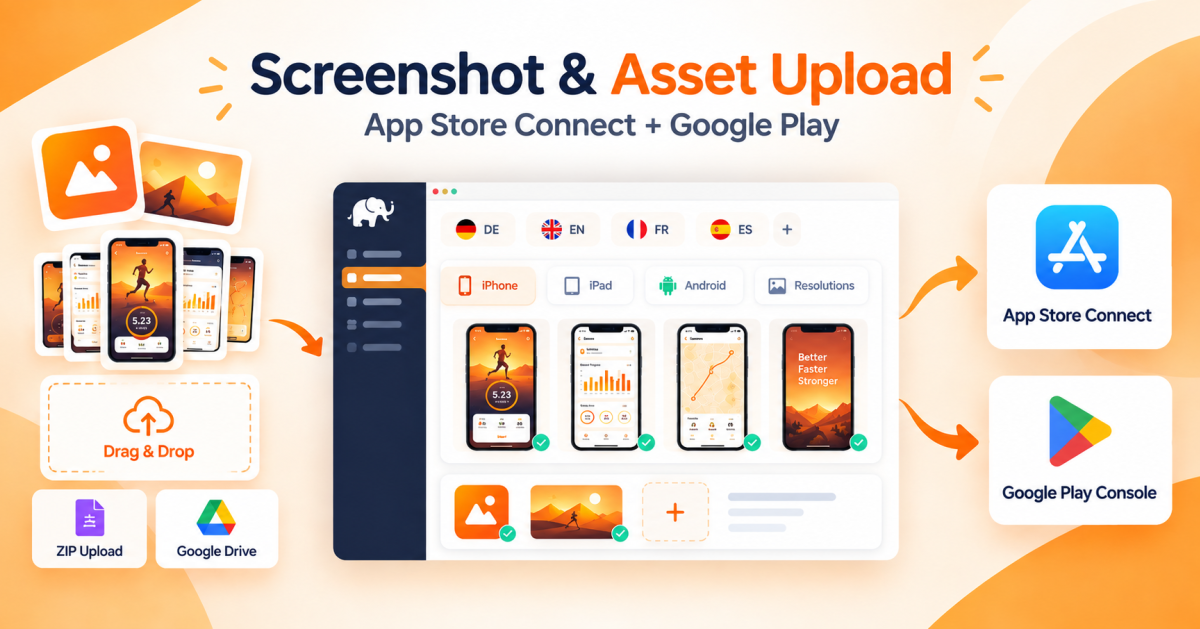
Drag-and-drop bulk uploads that auto-detect device type and locale. All sizes, all languages — organized instantly.

Custom Product Pages

Create and maintain iOS Custom Product Pages and Android Custom Store Listings at scale — per campaign, from one dashboard.

Team Collaboration

Invite your ASO team, assign roles, and work together without conflicts. Granular permissions for every team member.

Android Release Notes

Generate and upload version-specific release notes for Google Play in all your languages. No more repeating the same lines.

App Preview Uploads

Manage and upload app preview videos for all iPhone and iPad device types — as easily as screenshots.

Fast Store Adaptation

When App Store Connect or Google Play changes their requirements, adapt quickly. Stay ahead of policy changes automatically.

Built for teams that ship often

Whether you manage 2 apps or 50, App Store Manager scales with your workflow.

Save 15+ Hours Per Month

What used to take a full day now takes minutes. Automation handles the repetitive upload tasks — you focus on building great apps.

One Workflow, Two Platforms

Stop doing everything twice. App Store Manager bridges App Store Connect and Google Play into a single, unified workflow.

Collaborate Without Conflicts

Invite your ASO team, designers, and copywriters. Granular roles mean everyone works on the right things — safely.

Loved by app teams
around the world

"This service streamlines our metadata uploads — more time for game creation."
RedBit Games
Francesco Comi
Download on the App StoreGet it on Google Play
"Saves me so much time and effort!"
Bazaart
Gili Golander
Co-Founder / CMO · Bazaart
Download on the App StoreGet it on Google Play

How much time could you save?

Adjust the sliders to estimate your monthly savings with App Store Manager.

15.4hr
Saved per Month
462$
Saved Costs (30$/hr)
17.1hr
Without ASM
1.7hr
With ASM
90%
Efficiency Gain
Apps 3
Languages 3
Uploads / Month 3
Manage Metadata
Custom Product Pages
Manage Screenshots
* 1 App = 1 app in Google Play or Apple App Store * Estimation based on historical data and may vary
Start Saving Time →

Simple, transparent pricing

Start free. Scale as you grow. Cancel anytime.

Small
€ 9,08*
per month · €109 billed annually

For individuals managing a handful of apps a few times per month.

5 Apps
300,000 Translation Characters / Month
10 Metadata Uploads / Month
Android Release Note Generator
Most Popular
Basic
€ 17,50*
per month · €210 billed annually

For teams updating screenshots and metadata of multiple apps several times per month.

10 Apps
1,000,000 Translation Characters / Month
20 Metadata Uploads / Month
10 Screenshot Uploads / Month
Team Management (2 users)
Premium
€ 58,25*
per month · €699 billed annually

For power users and publishers managing many apps with frequent updates and full localization.

50 Apps
2,000,000 Translation Characters / Month
50 Metadata + 50 Screenshot Uploads / Month
Custom Product Pages Management
Team Management (6 users) + DeepL
* All prices + VAT
Not sure yet?

Start with a free 5-day trial and explore every feature before you commit.

Start Free Trial

· Cancel anytime

Need a custom plan?
Custom character & app limits
Team management beyond 6 users
Advanced AI translation support
Get a Custom Plan

Frequently asked questions

Everything you need to know before getting started.

Which app stores does App Store Manager support?
Both. App Store Manager is a 2-in-1 tool covering Apple App Store Connect (iOS/iPadOS) and Google Play Console (Android) from a single dashboard. You manage metadata, screenshots, translations, and uploads for both platforms without switching tools.
How do I bulk upload screenshots to both stores?
Drop your screenshot folders into the Screenshot Manager. It automatically detects locale (e.g. en-US, de-DE) and device size from the folder structure or filenames — for both iOS and Android. All screenshots for all locales are uploaded in a single batch to App Store Connect or Google Play Console. No manual slot assignment needed.
Can I update store metadata in multiple languages at once?
Yes, for both iOS and Android. Write your title, subtitle, keywords, and description in one language, then use the built-in translation engine (Microsoft Azure on Basic, DeepL on Premium) to generate all locales at once — up to 40 for the App Store, up to 87 for Google Play. Review, tweak, and upload everything in one click. Character limits are enforced live so no field ever exceeds store requirements.
How long does a full screenshot upload take?
Metadata-only uploads (titles, descriptions, keywords) typically complete in a few minutes. Full uploads including all screenshots and languages can take up to 1 hour depending on the number of locales and asset count — for both iOS and Android. The upload runs as a background job, so you don't need to stay on the page.
Will uploading overwrite fields I haven't filled in?
No. Only fields that contain content are transferred — empty fields are ignored on both stores. Your existing live listing data is never deleted or overwritten by a blank value.
Are my store API credentials stored securely?
Yes. App Store Connect API keys and Google Play service account keys are encrypted at rest and used only for direct API communication with Apple and Google. They are never shared with third parties. You can assign separate credentials per app — useful for agencies managing multiple developer accounts across both platforms.
What are Custom Product Pages and which plan includes them?
Custom Product Pages (CPPs) are an iOS-only Apple feature — alternate versions of your App Store listing for different ad campaigns, audiences, or A/B tests. Apple supports up to 35 CPPs per app. App Store Manager's Premium plan lets you create, manage, and upload CPPs — including their own screenshots and promotional text — directly to App Store Connect.
Can I batch upload app preview videos to the App Store?
Yes. App Store Manager supports batch upload of app preview videos (up to 3 per device size) directly to App Store Connect — for both standard store listings and Custom Product Pages. Drop your video files into the App Preview Manager, and it detects locale and device size automatically. Supported formats are MP4 and MOV (15–30 seconds, max 500 MB). All previews for all locales are uploaded in one job, no manual entry in App Store Connect required. This feature is available on the Premium plan.
Can I try it for free before committing to a plan?
Yes — every plan starts with a 5-day free trial. No credit card required to sign up. You get full access to all features of your chosen plan during the trial. Cancel anytime, no questions asked.

Ready to stop wasting days on manual store updates?

Join app teams that save 15+ hours every month. Start your free trial today.

Get in Touch

Have questions? We'd love to hear from you.

📧

Email Us

General Inquiries and App Store Manager Support

support​[at]​appstoremanager.net
🌐

Our Company

Learn more about the team behind ASM

iwantanelephant.com
📍

Location

I WANT AN ELEPHANT UG (haftungsbeschränkt)

Stuttgart, Germany

Serving customers worldwide

Stay up to date
Subscribe to our Newsletter

Actionable insights on managing your app in the stores — straight to your inbox.

Subscribe Now
🍪 We use cookies We use Google Analytics (page view statistics) and HubSpot (live chat support). Both set cookies and process data on servers in the USA. Firebase Hosting itself does not set cookies. Declining disables both — the chat widget will not appear. Privacy Policy
Decline
Accept
New customers
25% off yearly
2026-DISCOUNT copy code Copied!
use at checkout